Delta Exchange allows you to easily switch between Dark and Light themes for a more comfortable trading experience, based on your preference.
Follow these simple steps:
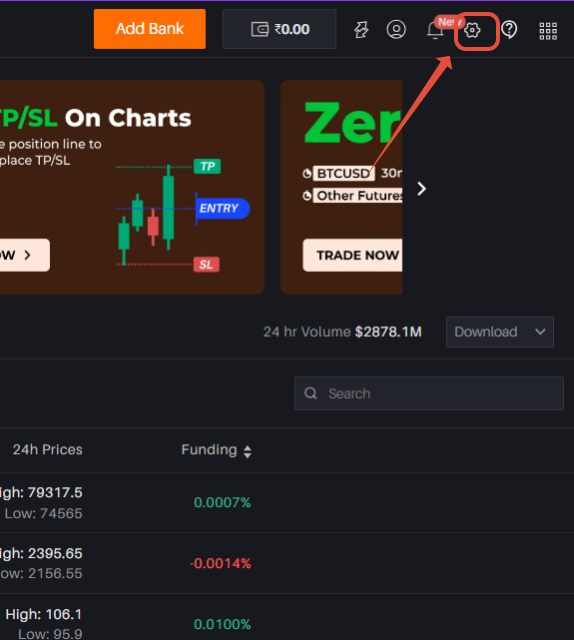
Step 1: Click on the Settings option from the menu.
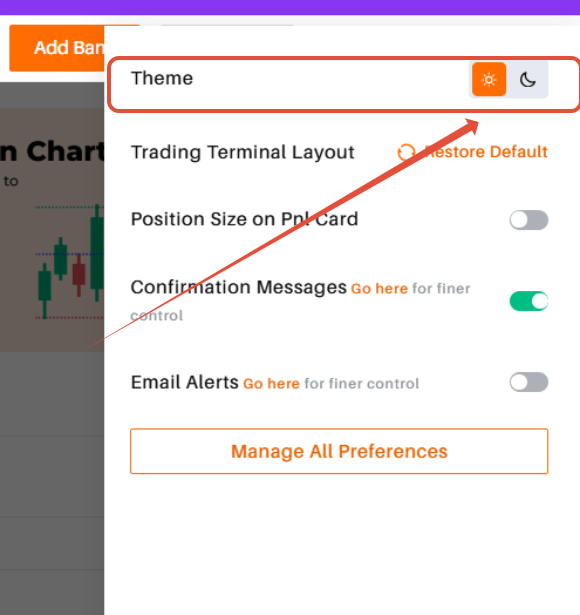
Step 2: Select the Dark/Light Theme icon to instantly change the theme.
That’s it! You can switch themes anytime to suit your viewing comfort while trading on Delta Exchange.
Was this article helpful?
That’s Great!
Thank you for your feedback
Sorry! We couldn't be helpful
Thank you for your feedback
Feedback sent
We appreciate your effort and will try to fix the article