We have introduced a new and seamless way for users to retrieve their registered email ID directly from the Delta Exchange login page. If you forget which email you used while creating your account, you can now recover it instantly without contacting support.
This feature is currently available on the web browser (desktop & mobile) and will soon be available on the mobile app.
Step-by-Step Process
Step 1: Visit the Login Page
Go to the Delta Exchange login page through your web browser.
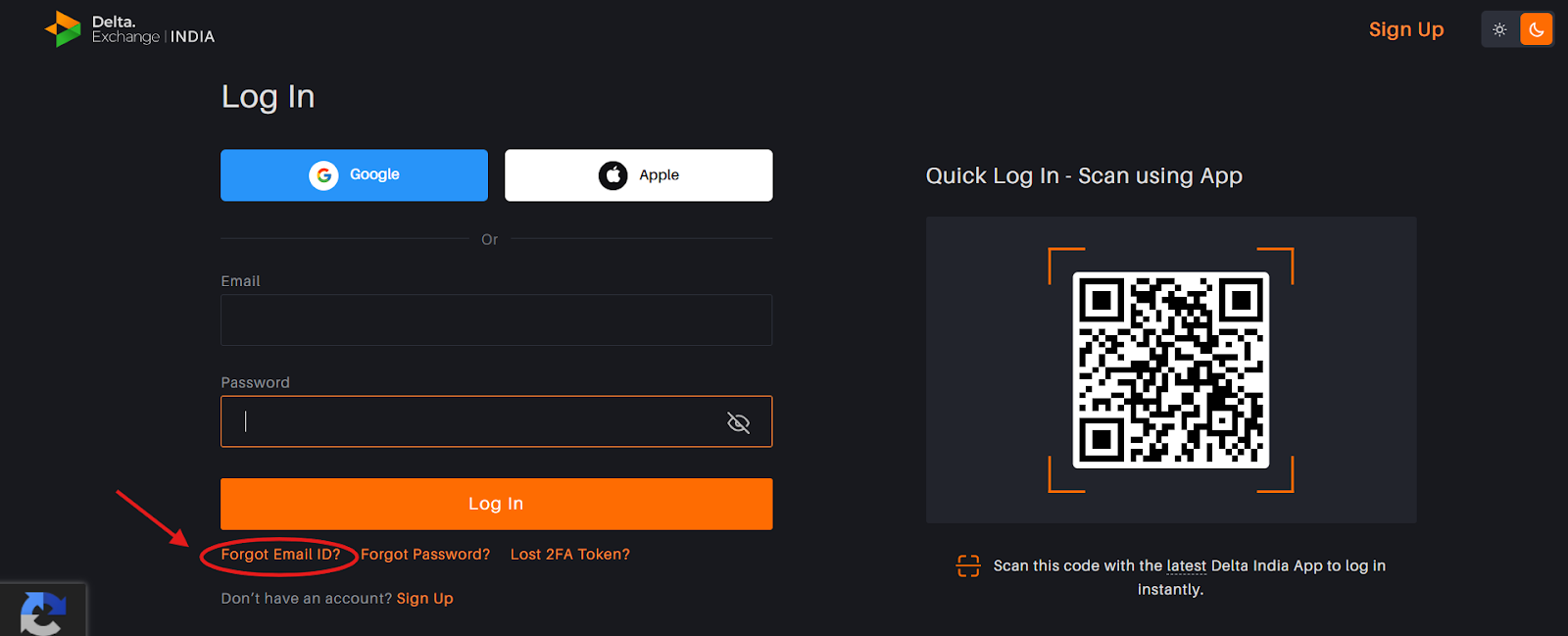
Step 2: Click on “Forgot Email ID”
On the login page, you will now see a new option: Forgot Email ID.
Click on it to begin the recovery process.
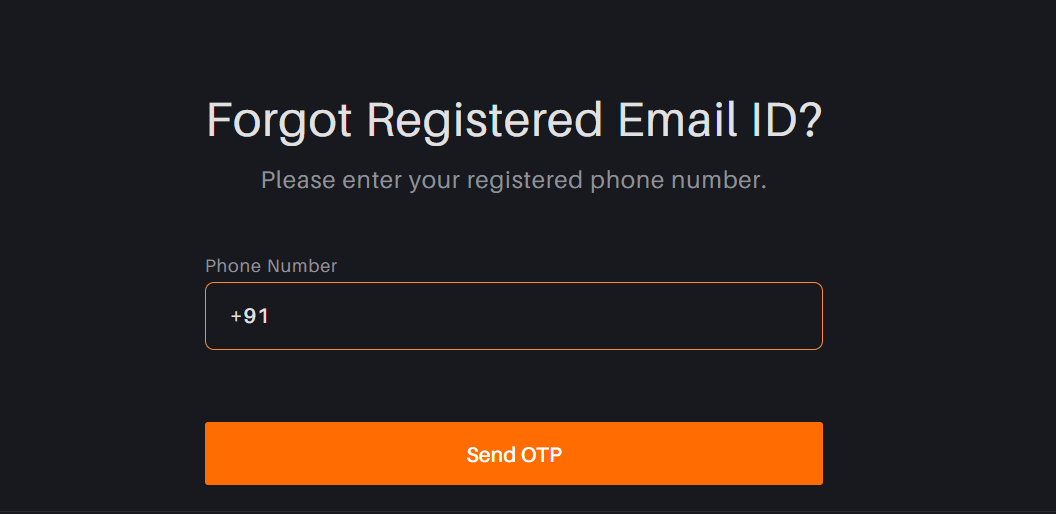
Step 3: Enter Your Registered Mobile Number
Enter the mobile number that you initially used while creating your Delta Exchange account.
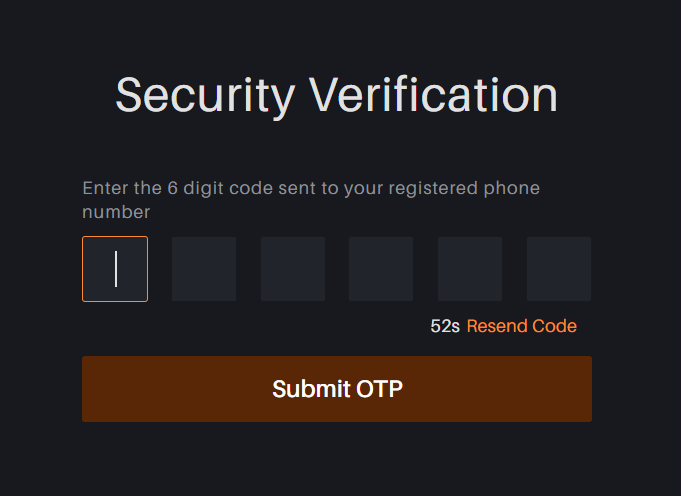
Step 4: Enter the OTP Sent to Your Phone
You will receive an OTP on your registered mobile number.
Enter the OTP to proceed.
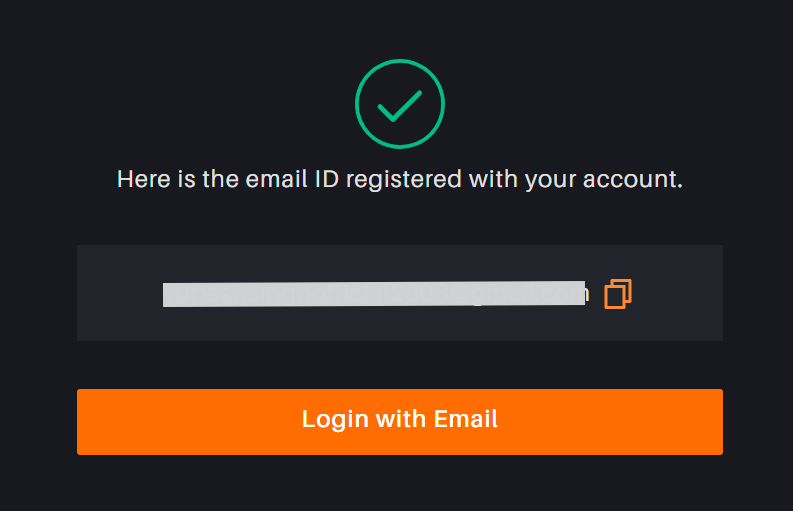
Step 5: View Your Registered Email ID
Once the OTP is successfully verified, you will immediately see the registered email ID associated with your account.
You can now use this email to log in.
Important Notes
This feature is currently available only on the web (desktop & mobile browser).
It will be launched on the mobile app soon.
OTP verification is mandatory to ensure the security of your account.
Only the email ID registered with your verified mobile number will be shown.
If you face any issues during the process, feel free to raise a support ticket—we’re available 24/7 to assist you.
Was this article helpful?
That’s Great!
Thank you for your feedback
Sorry! We couldn't be helpful
Thank you for your feedback
Feedback sent
We appreciate your effort and will try to fix the article